Index WR.0 / Restaurant website design
Restaurant website design
We build restaurant websites from your Google reviews, photos and service area so diners checking tonight’s hours, the menu or a photo of the dining room get answers on a phone without waiting on a heavy template. Our restaurant website design starts with a free live demo within 24 hours. One-time build price on go-live day; domain and hosting are third-party costs you pay. No monthly fees from us. The site and its files are yours. Unlimited revisions until you are satisfied. Delivery usually from three days, depending on the project.
- [a] Free live demo within 24 hours
- [b] One-time price, no monthly fees from us
- [c] Menu, hours and photos that work on a phone
WR.1
What diners look for before they walk in or order
Restaurant searches are often “near me” and time-sensitive: open now, outdoor seating, lunch specials, allergy notes, parking. People bounce between Maps, reviews and your website. If hours disagree, the menu is a blurry PDF, or the page crawls on a phone, they pick the place that loads.
Photos and reviews do most of the selling. BrightLocal’s 2026 survey found 97% of consumers read reviews for local businesses, and 54% check the website after positive reviews (BrightLocal LCRS 2026 (opens in a new tab)). Your site should make the next step obvious — call, directions, reserve link or order link you already use — without inventing a booking system we do not build.
WR.2
What we include for restaurants
Built on the same path as our local business website design service, shaped for food service:
- Menu section that is readable on a phone (we structure your menu content; you keep prices accurate).
- Hours and location that match your Google listing.
- Your real food and room photos instead of stock plates.
- Google reviews as social proof on the first screens.
- Links you already use for reservations or online ordering, if you have them — we do not invent a POS.
- Click-to-call and a light mobile layout, because most diners search on phones.
See also How fast should a small business website load? for why speed matters on mobile.
WR.3
What a restaurant website should include
Keep it short and useful:
- Home — cuisine or concept, neighborhood, call button, a few reviews.
- Menu — current dishes in plain text or clear sections; update when the board changes.
- Hours and location — match Google; note holiday hours when they change.
- Photos — plates, interior, patio; the same story as your Business Profile gallery.
- Reserve or order — outbound links to the tools you already pay for, if any.
- Contact — phone and a simple inquiry path for catering or private events if you offer them.
If your Google listing is missing or duplicated, start with Google Business Profile not showing. For review volume, see How to get more Google reviews.
WR.4
Maps, reviews and photos
Google uses relevance, distance and prominence for local results and says you cannot pay for a better organic local ranking (Google answer 7091 (opens in a new tab)). Restaurant categories, attributes (outdoor seating, takeout) and photos on the Business Profile should match what the website shows.
We align the site with your listing. Profile cleanup and review guidance sit under Google ranking and Business Profile help when you want help beyond the website build.
WR.5
Free demo and how to start
Email your restaurant name. We pull reviews, photos and service area from Google and send a live demo within 24 hours. Check it on a phone. Ask for changes or approve. If you proceed, you pay domain and hosting to third parties, then our one-time build price on go-live day. No monthly fees from us.
WR.6
What a restaurant website redesign looks like
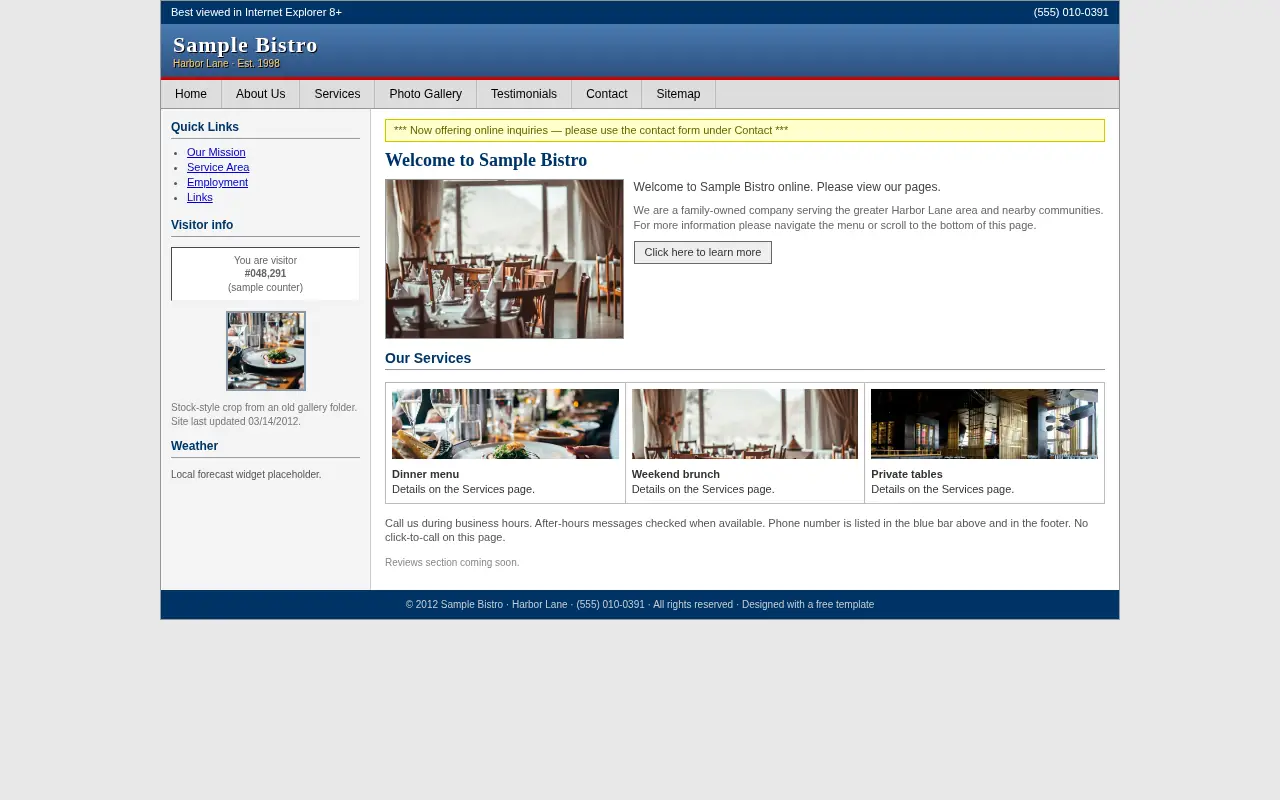
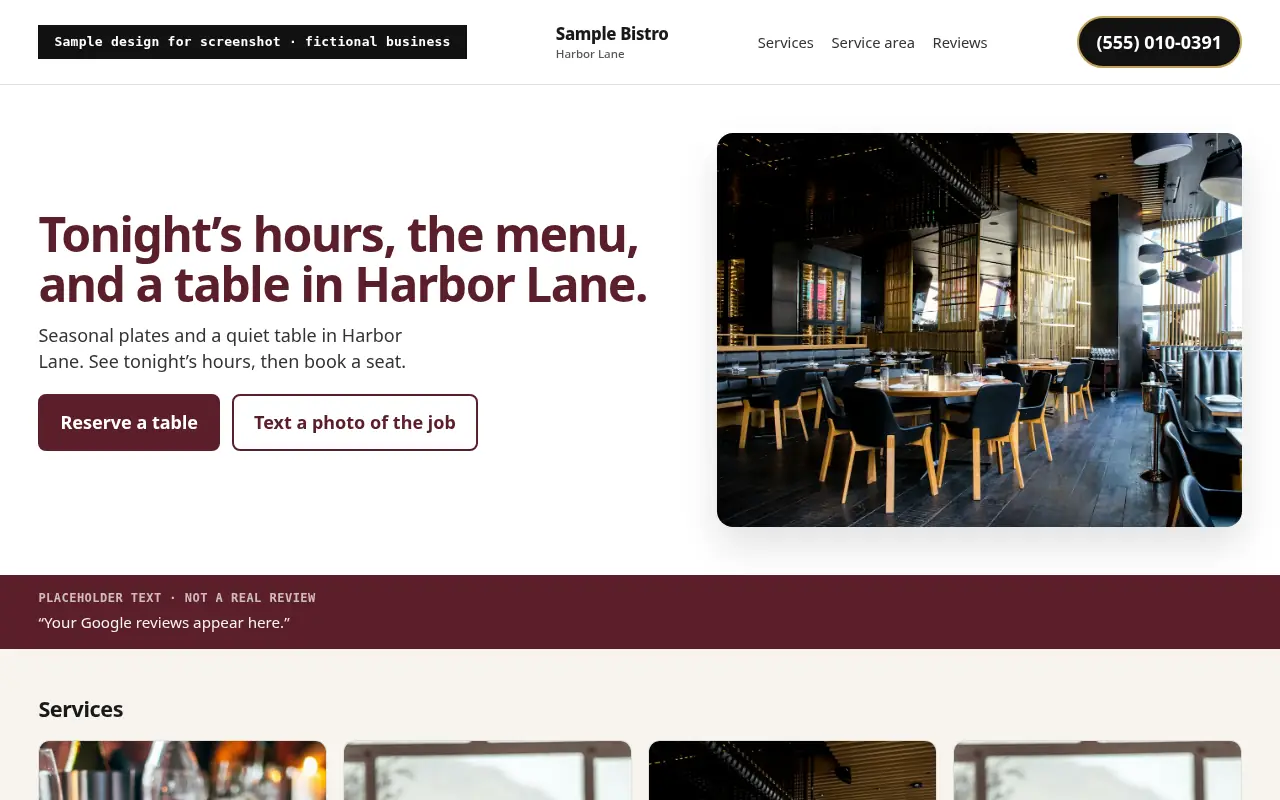
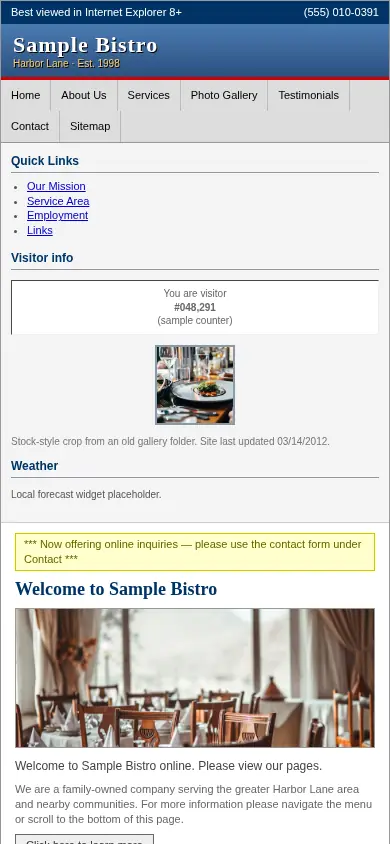
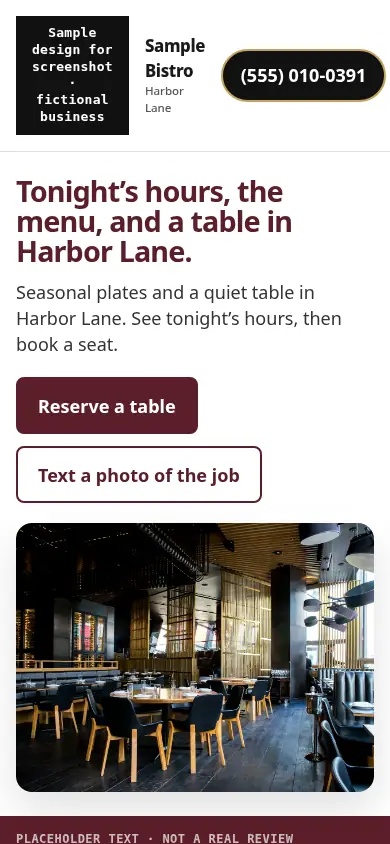
Sample design for a fictional business. Not a real client.
This sample compares an outdated site for Sample Bistro in Harbor Lane with a modern build. The old version hides hours behind menus and uses a cluttered sidebar. The new version leads with tonight’s decision points: hours, menu paths, photos and a clear reserve or call control. Placeholder review text is marked as sample, not a real diner quote.
Diners decide fast on a phone. A redesign that keeps menu, hours and a booking or call path above the fold removes the bounce back to Maps. Service area language stays honest to the neighbourhood you serve. Open the live sample to see the layout; buttons do not contact anyone.
WR.7
Frequently asked questions
Q.01What should a restaurant website include?
A readable menu, accurate hours and location, real photos, reviews, and a clear way to call or follow your existing reserve or order links. Keep it fast on a phone.
Q.02Should restaurants use Google Business Profile photos?
Yes. Profile photos help people decide on Maps and Search. Use clear, recent photos of food and the room, and keep the same look on your website so the two match.
Q.03How does the free demo work?
Email us your business name. We build a live demo from your Google reviews, photos and service area and send the link within 24 hours. No charge for the demo, no obligation to buy.
WR.8
Read next
WR.9
Get your free demo
Email us your restaurant name and the demo link comes back within 24 hours. It costs nothing and commits you to nothing.
Get my free demoWe work online with local businesses anywhere in the United States. The button opens Gmail, Outlook or your own mail app with the request written for you.